Secure web access with NGINX

Introduction
When you want to be sure that the person accessing your website is the right one, the common solution is to implement inside the web application itself an authentication method to let user access to a restricted area. As a result, you have to code a whole authentication and user management module, which can be very complicated (fortunately, many frameworks can do it for you).
As we will see in this article, another way is to delegate the authentication process to the webserver or the reverse proxy. Furthermore, it could also be the opportunity to use a stronger authentication method.
What we want to achieve
Let say that we have a Fedora server on the Internet with NGINX installed. We want to expose the Fedora Webserver Test Page at the address https://nginx.test.
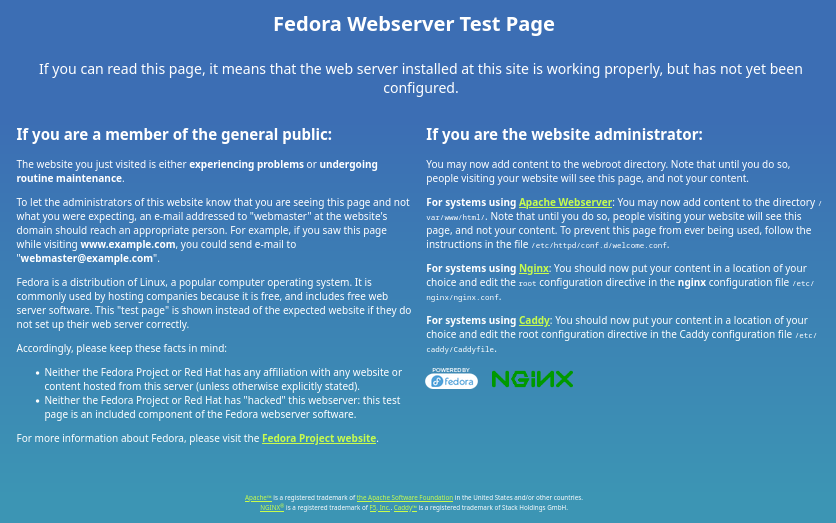
We won’t go into detail to set up such a webserver as this is a very common configuration. Many websites can help for that. We just give below the NGINX configuration file test-page.conf placed in /etc/nginx/conf.d/ :
server {
    listen 443 ssl;
    server_name nginx.test;

    ssl_certificate /etc/pki/tls/certs/nginx.test.crt;
    ssl_certificate_key /etc/pki/tls/private/nginx.test.key;

    location / {
        root /usr/share/nginx/html;
    }
}
What we want to achieve now is to configure NGINX in order to restrict the access of this page to authorized users only.
Certificates verification
When you perform a SSL/TLS connection to a website, your connection is considered secured because your browser has verified that the certificate of the website is legitimate. To keep it simple, the website has proved to a Certificate Authority (CA) that it was the legitimate owner of the domain name. In return, the CA has signed a certificate that the owner can store on the server alongside a protected private key and send it to each client trying to perform an SSL/TLS connection. As the client browser trusts the CA, it also trusts the certificate sent by the website. In other words, the client authenticates the server : we talk about client-side authentication. This is basicaly what you (your browser) do every day while surfing the Internet. This is also what we have implemented for the moment with our Fedora Webserver Test Page.
What we want to achieve is the exact opposite : we want the server to authenticate the user. We call this process server-side authentication. Let see how we can do that with NGINX.
NGINX certificates verification
Create the CA for client certificates
The first thing we have to do is to create a CA in order to be able afterward to create client certificates.
Some articles on the Internet say that this CA must be the same than the one used to sign the SSL/TLS server certificate. Fortunately it is not the case. Indeed, CA are sometimes only used to sign server certificates and can’t be used to sign client certificates. It is for instance the case with Let’s Encrypt, one of the most used CA in the world for SSL/TLS server certificates. Otherwise, any client certificates signed by Let’s Encrypt would be recongnized as legitimate ones, which would not be helpfull to control access to our server. It is then more relevent to decorelate both CA and manage client certificates signature with a private CA.
Precisely, let’s create our private CA :
openssl genrsa -des3 -out root_ca.key 4096
openssl req -x509 -new -sha256 -key root_ca.key -subj "/C=US/ST=NY/O=nginx-test/CN=ca.nginx.test" -days 365 -out root_ca.crt
Then, you can copy the newly created certificate in /etc/pki/tls/certs/ directory.
Register the CA in NGINX
This certificate must now be given to NGINX in order for it to verify that certificates sent by clients belong to our private CA.
You simply have to add the ssl_verify_client and ssl_trusted_certificate directives to the NGINX configuration file test-page.conf placed in /etc/nginx/conf.d/ :
server {
    listen 443 ssl;
    server_name nginx.test;

    ssl_certificate /etc/pki/tls/certs/nginx.test.crt;
    ssl_certificate_key /etc/pki/tls/private/nginx.test.key;

    ssl_verify_client on;
    ssl_trusted_certificate /etc/pki/tls/certs/root_ca.crt;

    location / {
        root /usr/share/nginx/html;
    }
}
Restart NGINX service to take into account this new configuration.
sudo systemctl restart nginx
As explained in NGINX documentation, we have used here ssl_trusted_certificate directive because we don’t want the server to send the CA certificate to the client. If it doesn’t matter for you or if you want to help the client to select the right certificate, you can use instead ssl_client_certificate directive which will at first send the CA certificate to the client.
Creating the client certificates
Last but not least, we have to create the client certificate which will be used to authenticate against the server.
openssl genrsa -out client.key 2048
openssl req -new -sha256 -key client.key -subj "/C=US/ST=NY/O=nginx-test/CN=client.nginx.test" -out client.csr
openssl x509 -req -in client.csr -CA root_ca.crt -CAkey root_ca.key -CAcreateserial -out client.crt -days 365 -sha256
You must now export the client key and certificate in PKCS12 format in order to import them in your browser.
openssl pkcs12 -export -out client.p12 -inkey client.key -in client.crt
You are now able to add the certificate and its key to your browser. For example in Firefox, go to Settings > Privacy and Security > Security > Certificates > View Certificates and click on Import in Your Certificates tab.
Connection to the server
When you try to connect to https://nginx.test with Firefox, a pop-up will now ask you to select a client certificate. Select the right one if you already have imported other certificates.
You will then be able to access the Fedora Webserver Test Page. In case you have not selected the right certificate or if you refuse to give one, a 400 “Bad Request” error will be returned by the webserver.
The benefits of such a configuration
You would tell me why such a configuration is interesting whereas it is so easy and common nowadays to implement an authentication method ?
You would be right if your website is built over a framework like Symfony or Django. However, this is not always the case, especially when you serve a static website like the one in our example. This method let you secure the web access very quickly.
Moreover, when you are building your website, your authentication method could be not implemented yet or not enough configured or secured. This method let you choose who can access the website (for example another developer) while the work is still in progress.
Even if you have implemented and correctly configured an authentication method, this solution can be very helpfull in some case. Let say that a critical vulnerability has been discovered on your website but this one has to be kept online for some users. This method has two benifits in such a scenario :
- the website can still be reached by some user ;
- the website is not anymore directly accessible to potential attackers as the authentication process is delegated to the webserver which is probably not concerned by the vulnerability and which is anyway easier to update.
While it is more and more recommended to implement Multi-Factor Authentication (MFA) to reduce illegitimate accesses via usual and weak authentication method, server-side authentication is a way to do that. Indeed, MFA is the combination of two factors (what you know, what you have, what you are, …) and the method presented in this article can be considered as a second factor (what you have : a certificate) if a password authentication (what you know : a password) has already been implemented on the website.
Finally, the benefit of such a configuration can simply be the fact that the server verifies the client legitimacy to access the website via a strong authentication method, as it is already done nowadays by clients on almost every websites. This is why we also talk about mutual TLS authentication (mTLS). This can be usefull for entity not able to protect the access of one or several web applications behind a VPN but which is able to deliver client certificates.
Conclusion
We have seen in this article that we can easily implement a strong authentication method with a simple webserver configuration and some certificates handling. We have also seen that, even if this method is not so much used on the Internet, server-side authentication has many benefits that improves the security of your website.